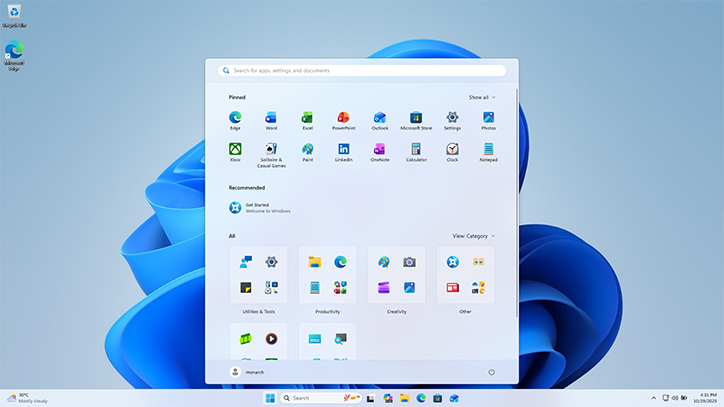
On 14 October 2025, Microsoft officially ended free security updates, technical support, and feature updates for Windows 10. Before this date, users had been encouraged to upgrade to Windows 11 to keep their devices secure and supported. Microsoft also provided an alternative in the form of Extended Security Updates (ESU), which are paid updates available for up to three years beyond October 2025.
The immediate implication is that Windows 10 devices will continue to work. Your computer will not suddenly stop turning on. However, without regular security updates, these devices will become increasingly vulnerable to cyber threats. While devices running Windows 10 version 2004 or later are technically eligible for a free upgrade, the reality is that hundreds of millions of users worldwide remain on Windows 10, and many existing computers simply do not meet the stricter hardware requirements needed to run Windows 11.
Global statistics illustrate just how significant this is. According to StatCounter data from August 2025, Microsoft Windows dominated the global desktop operating system market with a 69.75% share. Apple’s OS X held 8.69%, macOS 4.79%, Linux 3.93%, and Chrome OS 1.36%. This global picture closely reflects our local Ugandan market, where Windows remains the primary operating system for both individuals and businesses.
As of now, many desktop users, including businesses, have not yet migrated from Windows 10 to Windows 11. One of the biggest barriers is the hardware requirement. For a computer to support Windows 11, it must have a modern 64-bit processor, at least 4GB of RAM, 64GB of storage, UEFI Secure Boot capability, and a TPM 2.0 security chip.
These last two requirements are particularly important for security. UEFI Secure Boot ensures that only trusted software runs when the computer starts. TPM 2.0, on the other hand, is a dedicated security chip that enables encryption, biometric authentication, and protects sensitive information. These features are designed to strengthen protection against modern cyberattacks. While there are technical methods to bypass some of these requirements, doing so introduces additional risk and removes some of the very protections Windows 11 was designed to provide.
The danger of continuing without support is real. Unsupported computers can become easy targets for attackers using vectors like ransomware and malware. They may still function normally, but in the background, they are exposed. Over time, these systems can be compromised and used by attackers to spread malware, steal data, or even launch attacks on other computers.
This risk is not theoretical. It is already visible in Uganda. Financial institutions, in particular, are prime targets for cybercriminals looking to steal funds or compromise customer data, often leading to significant losses. According to the Uganda Annual Police Report, during the 2024/2025 financial year, 475 cases of cybercrime were reported to the police, marking a 93.5% increase from the 245 cases reported in 2023. However, the financial impact remained significant, with losses amounting to UGX 72,125,613,915 in 2024, of which only UGX 420,030,000 was recovered.
While Ugandan financial institutions are expected to prudently upgrade and safeguard their computer systems, smaller organisations and individual users may be challenged by cost and continue using older computers simply because they still work. However, what appears to be a cost saving can eventually turn into a much larger loss if a security breach occurs.
This brings about a difficult but necessary question, especially for organisations: should you invest in a new computer, pay for Extended Security Updates, or save money in the short term and continue using a system that may be vulnerable?
Each of these options carries implications. Paying for Extended Security Updates can provide temporary protection while planning for a long-term transition. Upgrading to Windows 11 offers stronger built-in security and ensures continued support. Continuing to use Windows 10 without updates, on the other hand, exposes users and organisations to increasing risk over time.
There is also a human factor. Most people do not like software upgrades. They can feel inconvenient, disruptive, and unnecessary when everything appears to be working fine. But software upgrades are not just about new features. They are primarily about security and long-term stability.
This is why planning ahead is critical. Organisations in Uganda need to treat operating system upgrades as a business risk decision, not just an IT decision. Individuals also need to view upgrades as part of their personal digital safety.
In the end, doing nothing is still a decision, but it is often the riskiest one.
The end of Windows 10 marks more than just the end of an operating system. It represents a shift toward stronger security standards and newer technology. Whether through changing operating system, upgrading hardware, moving to Windows 11, or temporarily using Windows 10 Extended Security Updates, users must take deliberate steps to remain secure.
Because in today’s digital environment, staying updated is no longer optional. It is essential.